APK → libgame.so → game
From an old APK to a game you can play again
No original source code was available. We took facts from the APK, rewrote them in TypeScript, and verified the result in Cocos Creator.
Part 1
What do we get from the APK?
Extract it once to separate the resources, decompiled Java from the app package, and the native library.
Method
- Verify the hash so the APK cannot change unnoticed.
- Run
scripts/inventory-apk.sh extract; it uses JADX forclasses.dexand extractslibgame.so. - Keep the output unchanged as the reference for later work.
jadx/resources/…
java/app-owned/PencilBlade.java
java/app-owned/R.java
native/libgame.so
Result: 862 resources, 3 decompiled Java files from the app package, and one libgame.so.
Part 2
Read libgame.so and connect it to resources
Find functions, constants, and path strings; then match those paths to the resources extracted in Part 1.
Method
- Use
readelfandnm -Cto identify the architecture, symbols, and addresses. - Run
scripts/analyze-native-static.shto map functions, calls, constants, and string xrefs. - Match each path xref to the same resource path, then write the behavior as a tested contract.
0x00145538  Bomb::onEnter()
string_xref → "Bomb/bomb_X.png"
string_xref → "Sounds/boomsound.wav"
Result: the Bomb::onEnter() handler connects to the bomb_X.png sprite and boomsound.wav sound. The same method handles the remaining evidence.
Part 3
Try the game
The contracts were rewritten in TypeScript, connected to the recovered resources, and run in Cocos Creator 3.8.8. This is a reconstruction, not the original runtime; it never loads or links libgame.so.
Method
- Open the Web H5 build.
- Press Play to load the game.
- Choose a mode and try slicing fruit.
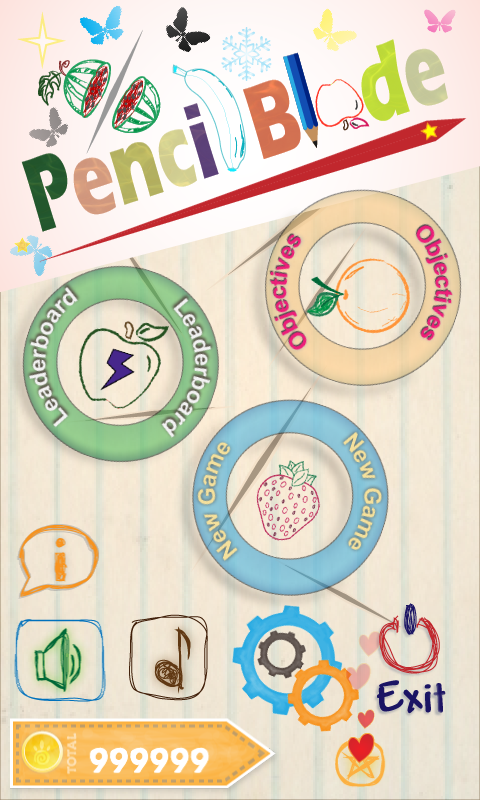
Result: the reconstruction runs in the browser with all 6 game modes.